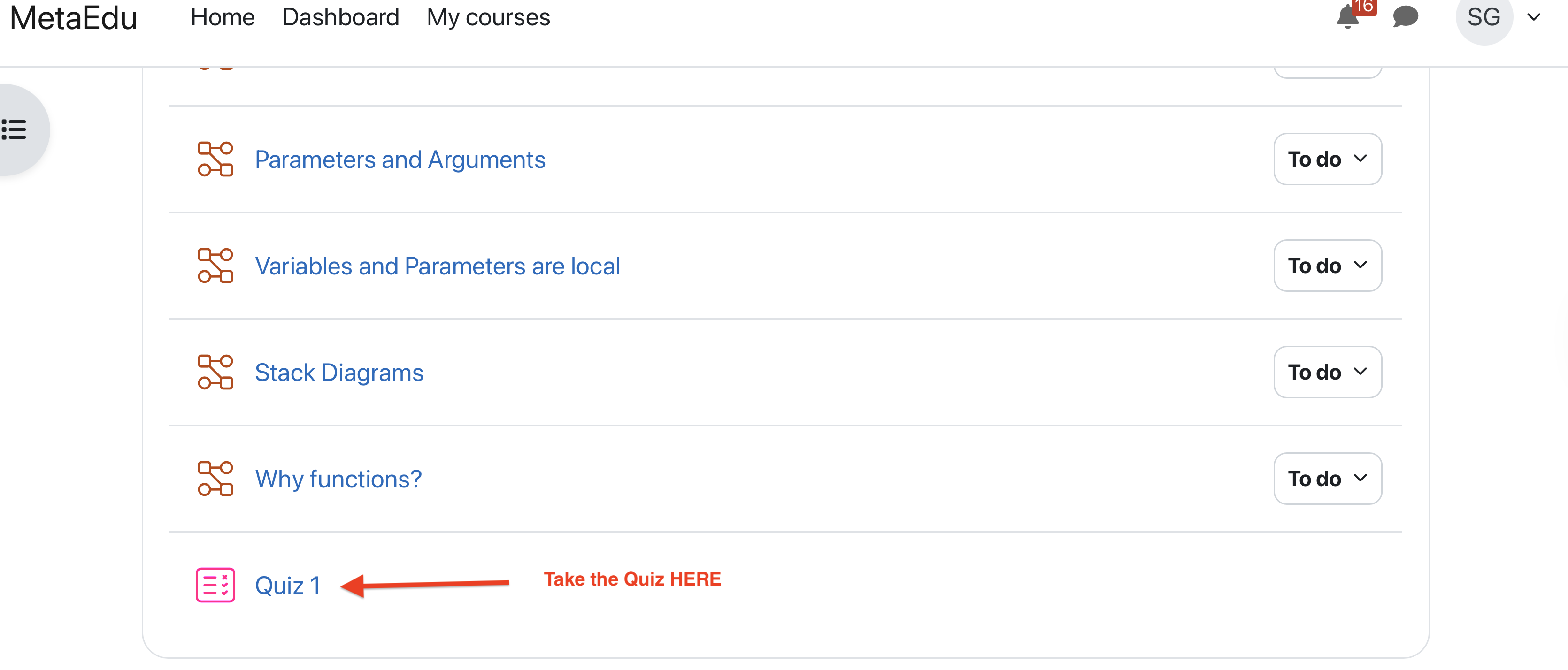
Please follow these steps to conduct your learning activities on our Moodle-based learning platform.
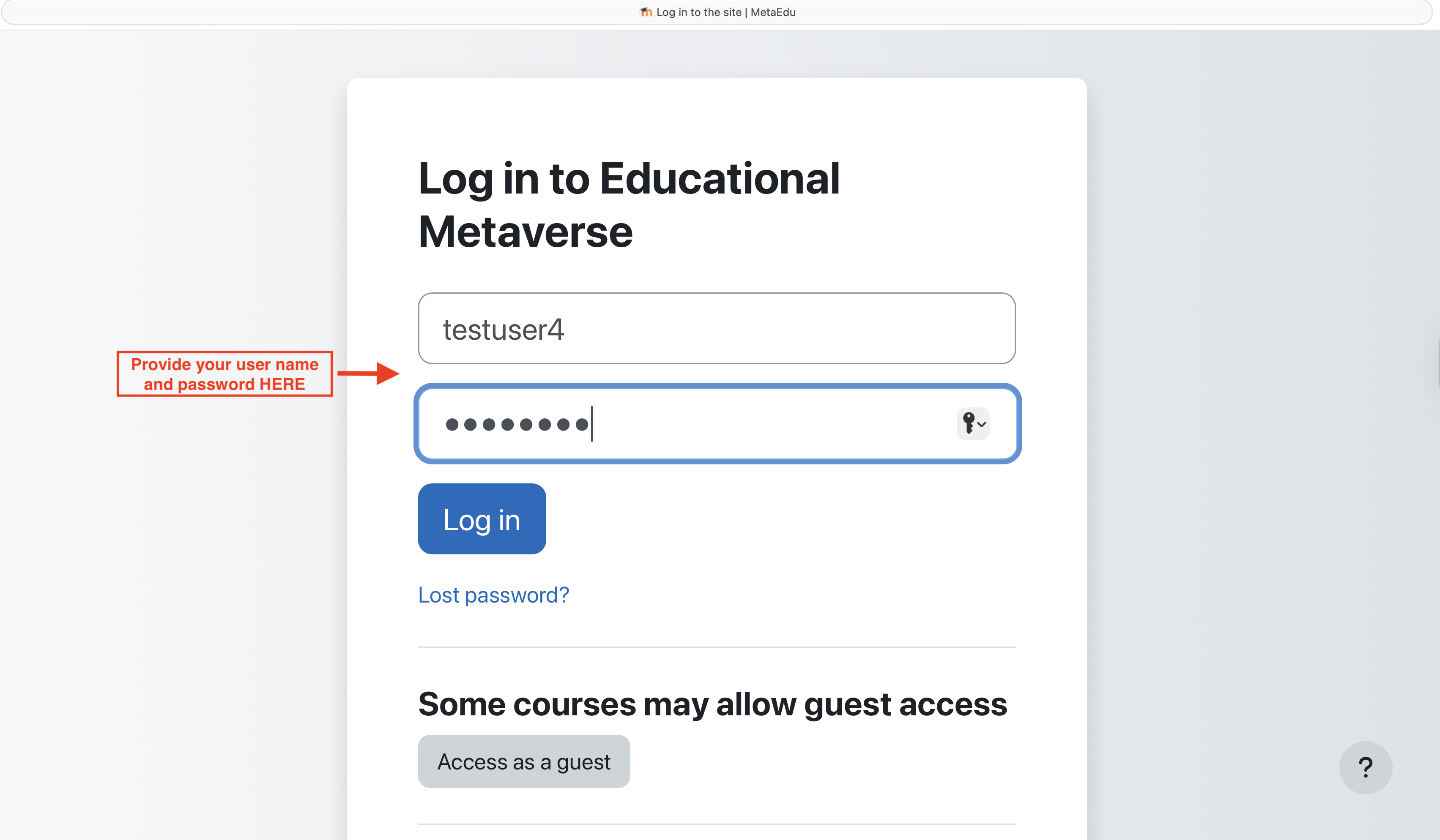
You will receive an email notification containing your username and password. Use these credentials to log in to your assigned Moodle course.
After logging in successfully, you can access the learning materials. The course provides the following features:
Scroll through the course page to view each lesson in every module. After reading a lesson, complete the one-question quiz at the end of the lesson. Once the quiz is submitted, the lesson is marked as completed.
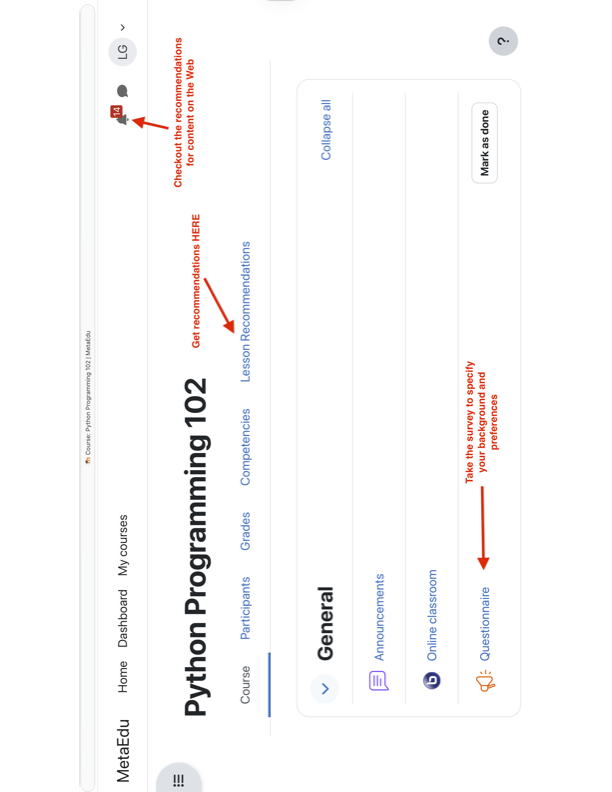
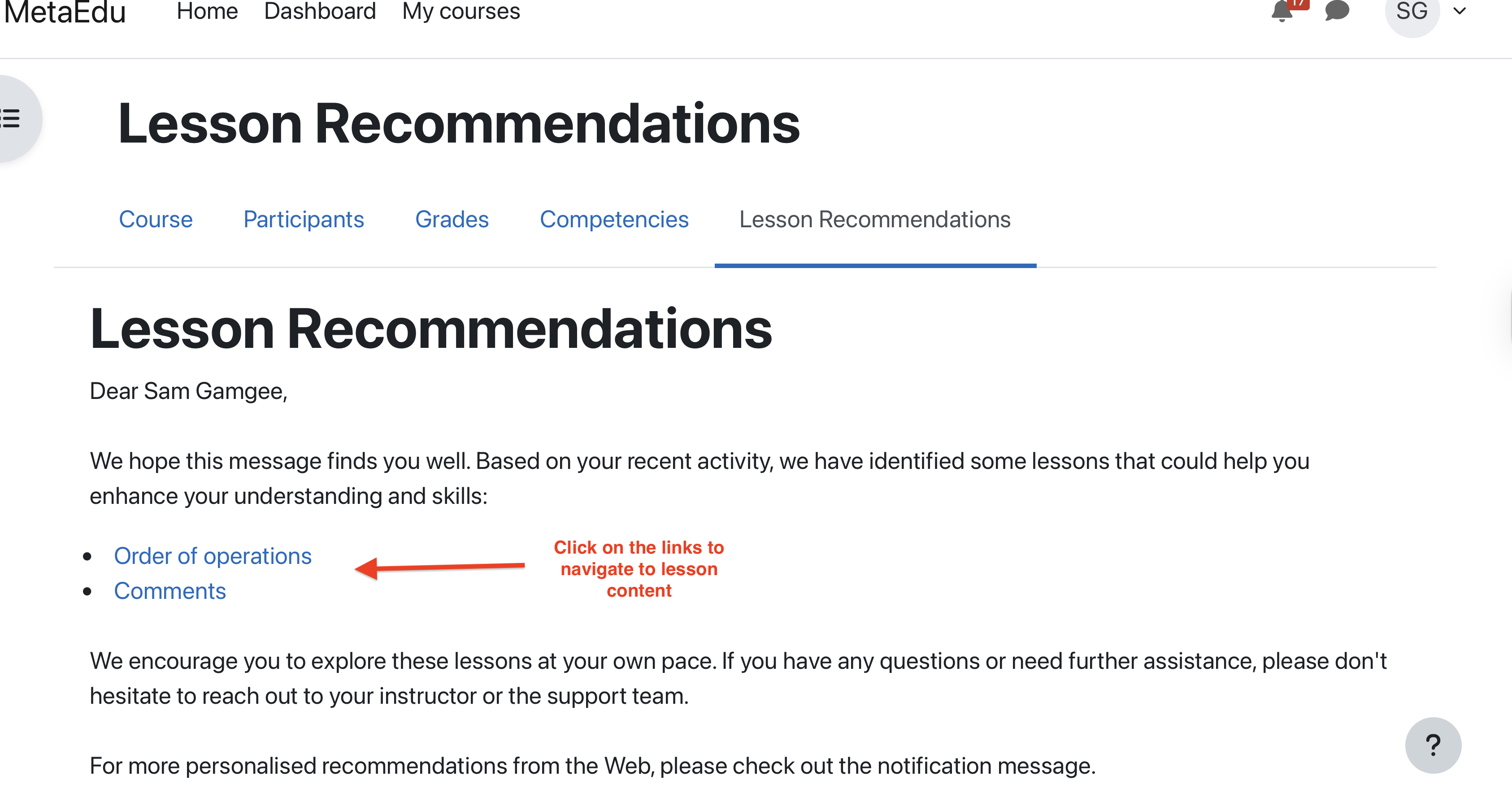
If you need help deciding what to study next, click the Lesson Recommendations tab. The recommender system will suggest lessons that you should review.
You can also receive personalised notes recommending useful learning resources available on the Web.
At the end of the study, complete a quiz consisting of 10 questions to evaluate your understanding of the course.
After completing the quiz, you may continue using the recommendation system to identify lessons for review before attempting the quiz again.